I stopped drawing diagrams by hand
Published: · 4 min read
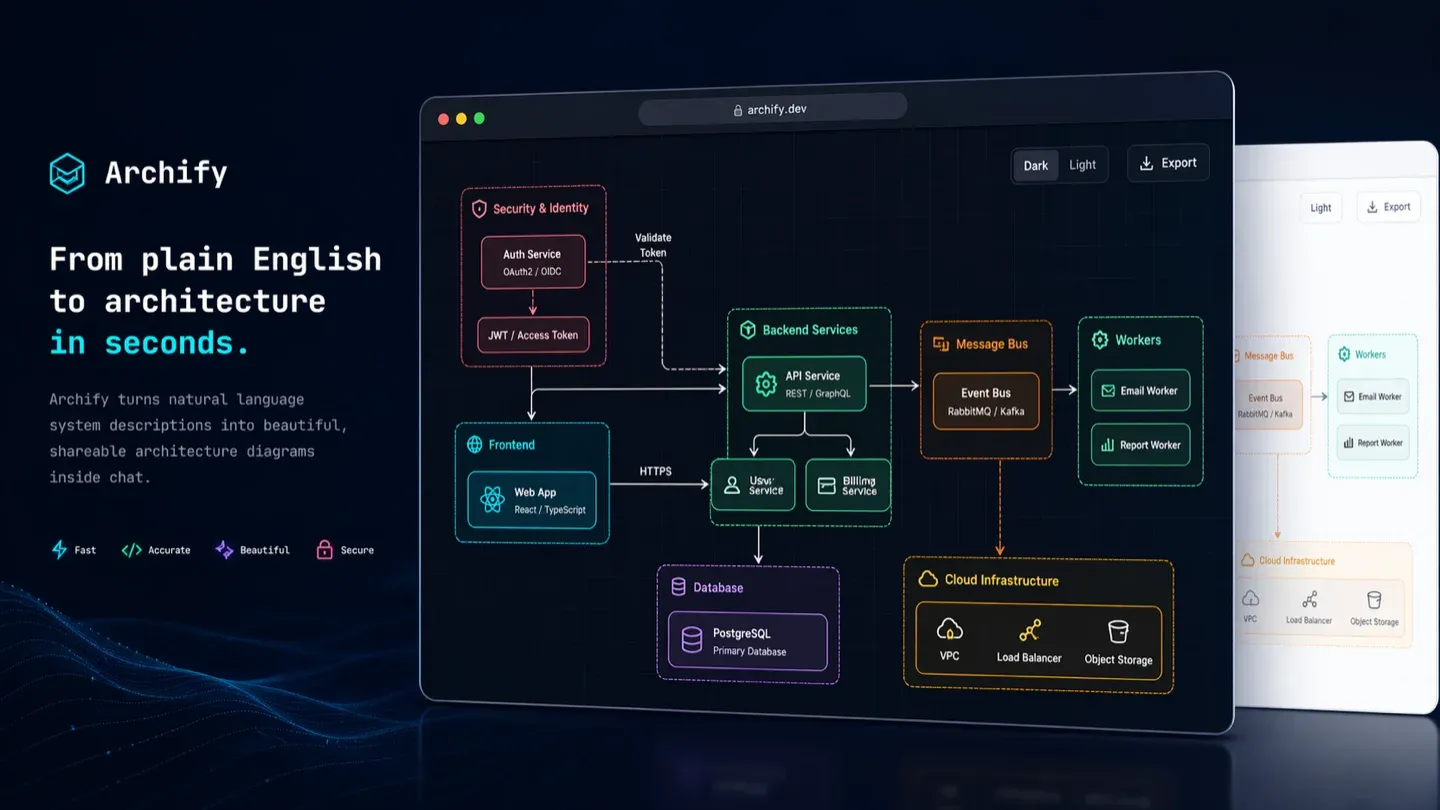
If you have been building software for a while you know this annoyance: you spend a couple of hours arranging boxes in Figma or draw.io, it looks great, and two weeks later the code changes. The diagram does not become outdated. It becomes a lie, which is considerably worse.
I have watched the same cycle play out across different teams for years. Someone draws the architecture for a design review, the review passes, and the diagram sits in a Drive folder aging quietly until a new developer opens it and builds their mental model on something that no longer exists.
I recently ran into Archify while looking for ways to connect my agents to visual documentation, and it changed my daily workflow enough to be worth writing about.
The problem is not drawing, it is maintaining
The two are worth separating, because almost every tool attacks the first one and none of them attack the second.
Drawing is cheap. What is expensive is keeping the drawing true. Every visual editor I have used optimises for making the first version look good, and none of them for making version twelve still match the repository.
What Archify is
It is an agent skill: you install it into Cursor, Claude Code, Codex CLI or OpenCode and it gives your agent the ability to generate diagrams. You describe the system in plain language and it returns an interactive, self-contained HTML file.
Under the hood it does not jump straight from text to drawing. It compiles to a typed JSON intermediate representation, validates it, and renders deterministically from there. That matters more than it sounds: the same description produces the same diagram, and invalid JSON fails instead of inventing a box.
It supports five types:
- Architecture: components, services, storage and trust boundaries.
- Workflow: CI/CD pipelines, approvals, tool calls.
- Sequence: API calls, cache fallback, async traces.
- Data flow: pipelines, lineage, PII tracking.
- Lifecycle: states, retries, waits and terminal outcomes.
For output it gives you self-contained HTML, PNG (including a 1200x630 share card), SVG and WebM.
What made me keep it
It was not that it produces clean diagrams. Several tools already do that.
It was that a node can mark itself as SRC and open the actual file in the
repository, verified against git and pinned to a specific commit. The diagram
stops being an interpretation of the architecture and starts pointing at the
evidence behind it.
There is a second thing I did not expect: it compares two snapshots, before and after, and emits a machine readable receipt of what was added, removed, changed, moved or rerouted. That is exactly what I want to read in the description of a PR that touches architecture, and exactly what nobody writes by hand.
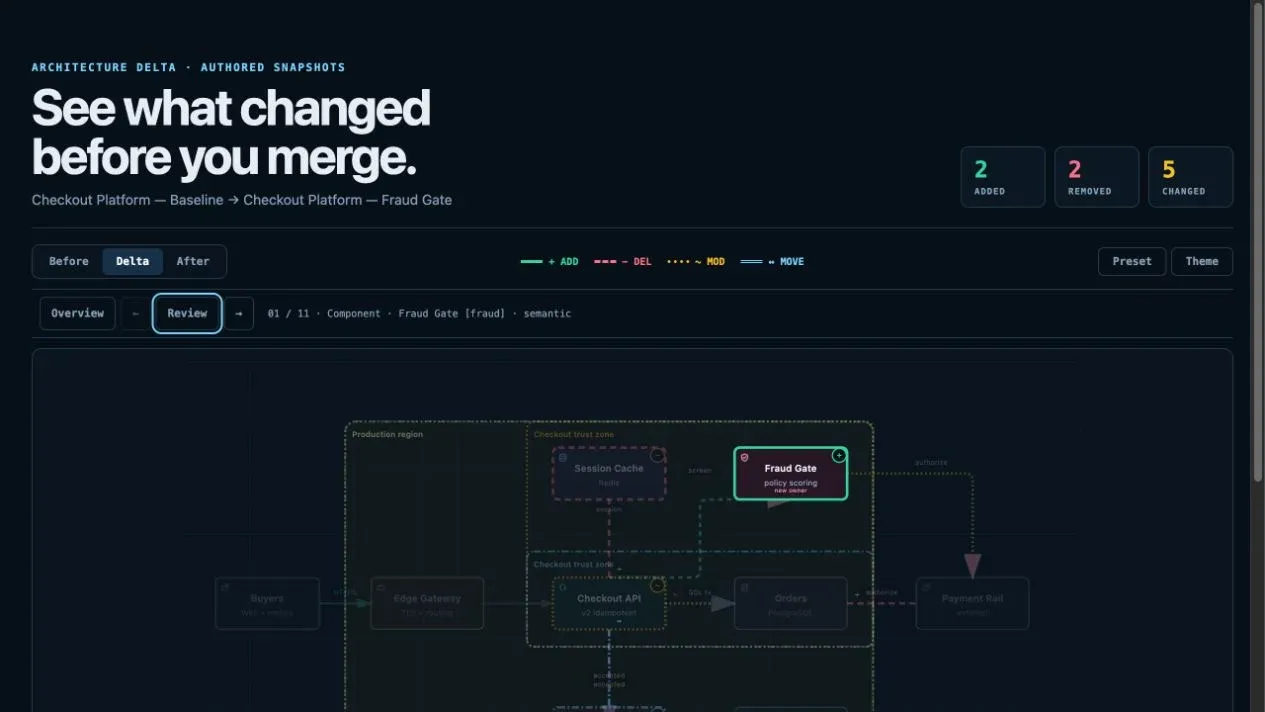
The screenshots in this post come from the project repository, which is MIT.
How I wired it in
Installing it took me under a minute. I added it as a global skill for all my agents:
# Global install
npx skills add tt-a1i/archify -g

# Or try it without installing anything, straight from Codex CLI
npx skills use tt-a1i/archify@archify --agent codex
Now, when I am designing a new API or refactoring a module, I ask the agent in the same chat where I am already working:
Archify: generate a sequence diagram for the JWT authentication flow, including the React client, the Node API gateway, the Auth service and the Redis cache for revoked tokens.
And it returns this:
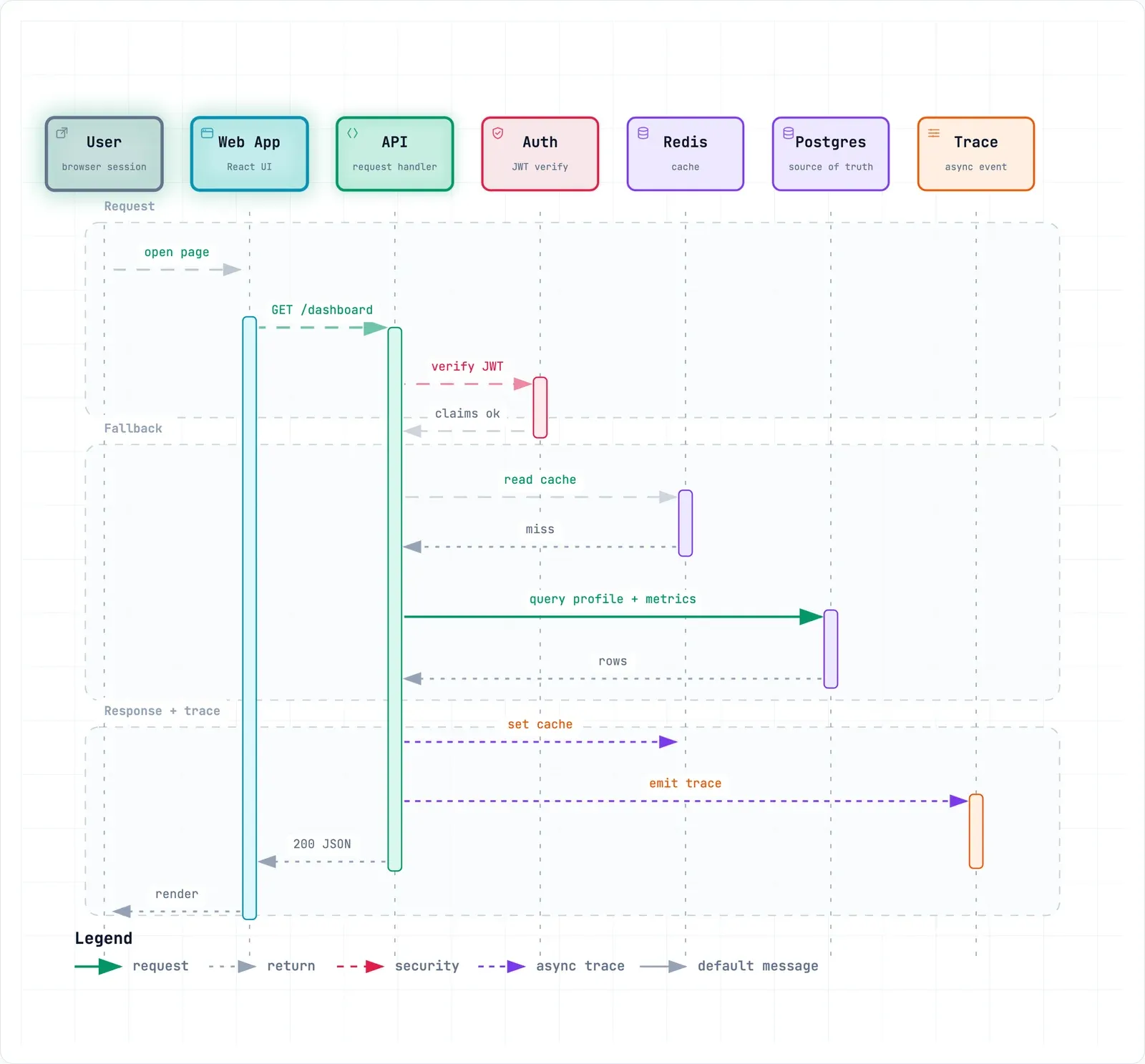
The real difference is not speed. It is that the diagram lives where the code lives, and regenerating it costs a sentence instead of an afternoon.
What it does not solve yet
None of this makes it automatic. The diagram comes out only as good as the description you give it, and describing a system well is still the hard part. A vague prompt gets you a vague, nicely rendered diagram, which is a worse trap than having no diagram at all.
It also does not read your repository and infer the architecture on its own. You are the one who links to the code when you ask for evidence. There is still a human deciding what matters.
And it is a young project. I am using it for day to day diagrams and for documenting PRs. I would not yet make it the single source of truth for the architecture of an entire platform.
Conclusion
It gave me back the time I used to lose moving boxes and arrows around. But what actually interests me is something else: for the first time the diagram sits close enough to the code that updating it is not a task you postpone.
An outdated diagram is technical debt nobody files in the backlog. Any tool that lowers the cost of keeping it alive seems worth a look to me.